Loading…
Union Boards Guide
Reach members who are not on social. Start with a bare-minimum layout, then add notices and posters.
On this page
Bare-minimum board
Every board should answer: How do I find you online? Who do I call for health and safety? Who is on the LEC? What is happening next?
Local header
Socials / QR
Health & safety
LEC / contacts
Events / rotating
Local header
Local number, short name, and Brand Kit logo. Print a Board Banner so the cork reads as yours from across the room.
Socials and digital link
Add one QR code or short URL that points to your site, your group, or this site. One clear call to action (“Get support” or “Follow us”) beats a wall of icons.
Health and safety
JHSC / H&S contacts, how to report a hazard, and where to find the latest bulletin. Keep phone numbers large and current.
LEC and steward list
Local Executive Committee roles with names and work contacts (or steward office hours). Update after elections with Org Chart so the cork matches the current names.
Events or rotating spot
Membership meetings, bargaining updates, workshops, or a solidarity poster. This is the only zone that should change weekly.
Print always-on pieces once on sturdy stock. Refresh only the rotating zone. Fill empty space with solidarity posters so the board never looks abandoned.
What to print
Think in layers: permanent identity, standing resources, and a rotating slot.
- Always on the board: Header/logo, socials QR or URL, health & safety contacts, LEC / steward list.
- Rotate often: Meeting notices, bargaining updates, event flyers, and high-energy solidarity posters for empty space.
- Optional extras: Member spotlight (with consent), contract highlight one-pagers, how-to-file-a-grievance tear-offs.
- Sizes that work: Letter (8.5×11) for dense contact lists; tabloid (11×17) for notices and posters readable from across the room.
Feed the board - posters and templates
Start with official Ontario posters and a short contact list, then layer local notices and solidarity posters.
Official Ontario posters and statutes
PDFs below are for printing. Prefer the official ministry page when checking for newer versions.
Employment Standards in Ontario poster
ESA rights overview - hours, leaves, vacation, termination. Strong default for the health & safety / rights zone.
ESA poster (alternate ministry file)
Additional ESA poster file for boards that already use an older print run - verify against the current ministry version.
In case of injury at work (Form 82)
WSIB-style injury reporting poster commonly required beside first-aid information.
Occupational Health and Safety Act (e-Laws)
Live statute - link via QR instead of pinning an outdated paper copy of the full Act.
Guide to the OHSA
Plain-language worker rights: know, participate, refuse unsafe work.
Posters required in the workplace
Ontario hub listing what employers must distribute or post - use this when you are unsure what belongs on the board.
Sample local templates (anonymized)
Trimmed demos with fake names and campuses - replace with your real LEC, JHSC, and board locations.
Board print checklist
Bare-minimum print list plus QR targets for ESA, OHSA, human rights, and local documents.
Board location tracker (CSV)
Sample multi-campus tracker with fake monitors - track which boards are verified and who checks them.
JHSC member list (CSV)
Short anonymized health & safety committee roster for the H&S zone.
OHSA phone / QR access tip
One-page tip for members scanning a QR to the live Act from their phone.
Reference layouts from real locals
Patterns from boards locals actually run. Pick one shape and stick to it so members learn where to look.
Real boards (photo references)
Photos from active campus boards: how LEC lists, JHSC, ministry posters, and QR codes sit together in the wild.
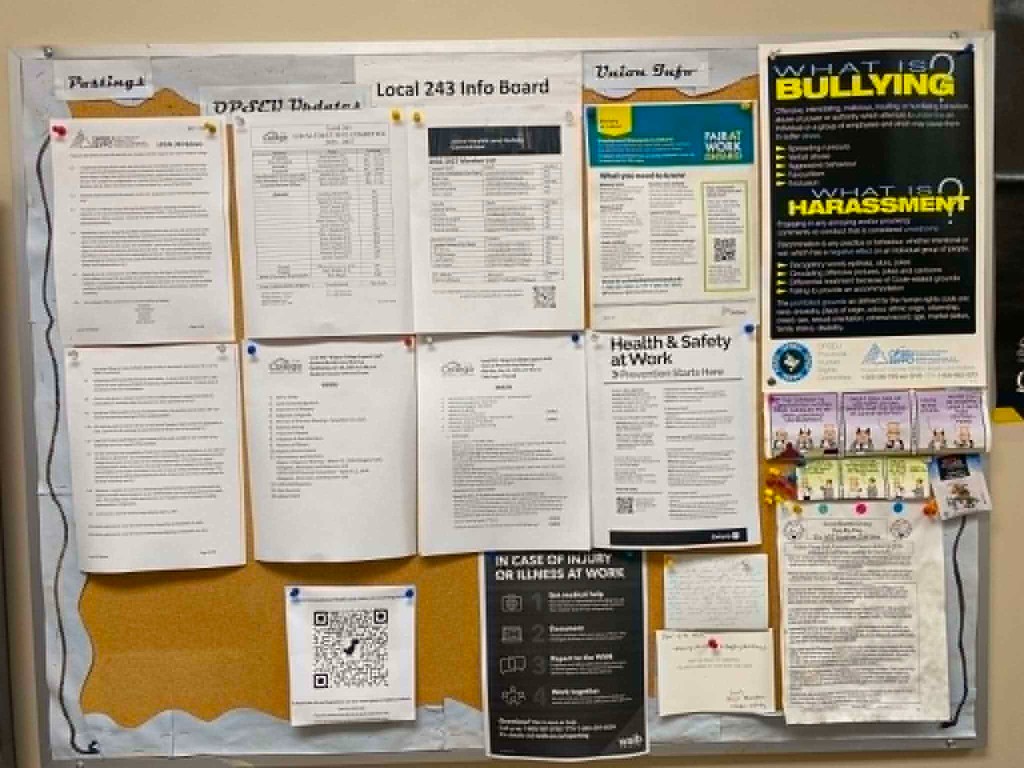
Sectioned campus info board
Columns: Postings, updates/LEC, JHSC, ESA + H&S, Form 82, bullying/harassment, and a large QR. Bare minimum plus rights posters.
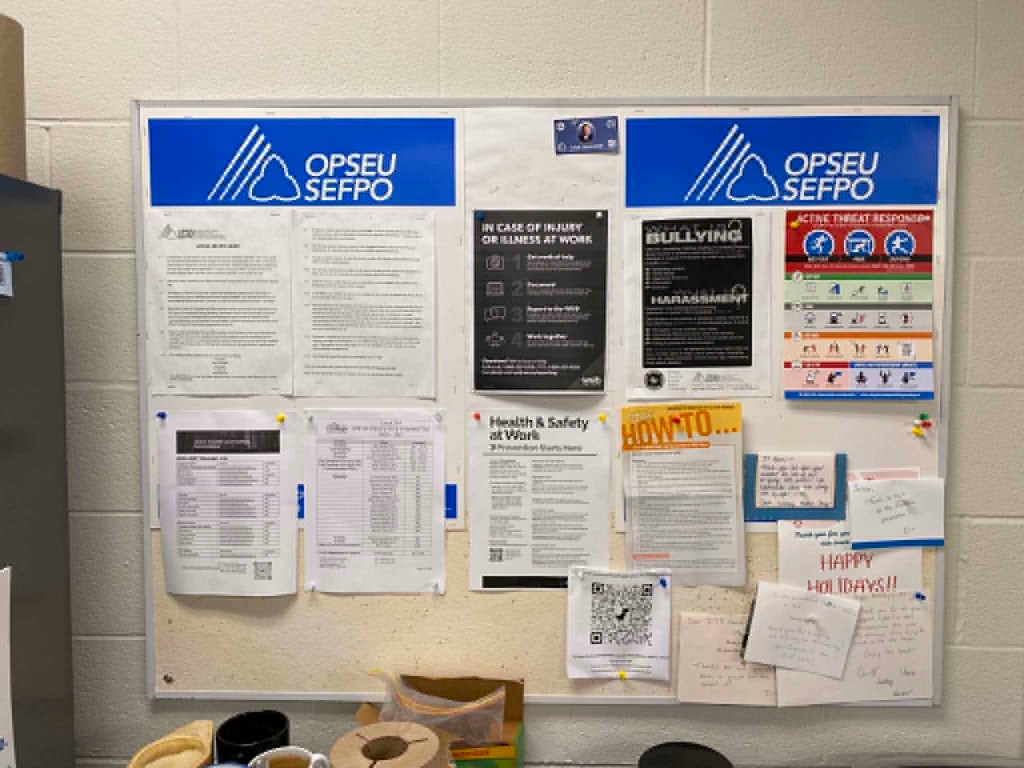
Branded corridor board
Parent-union banners on top; Form 82 and bullying/harassment at eye level; LEC list, H&S poster, QR, and a small notes corner. Dense but scannable.
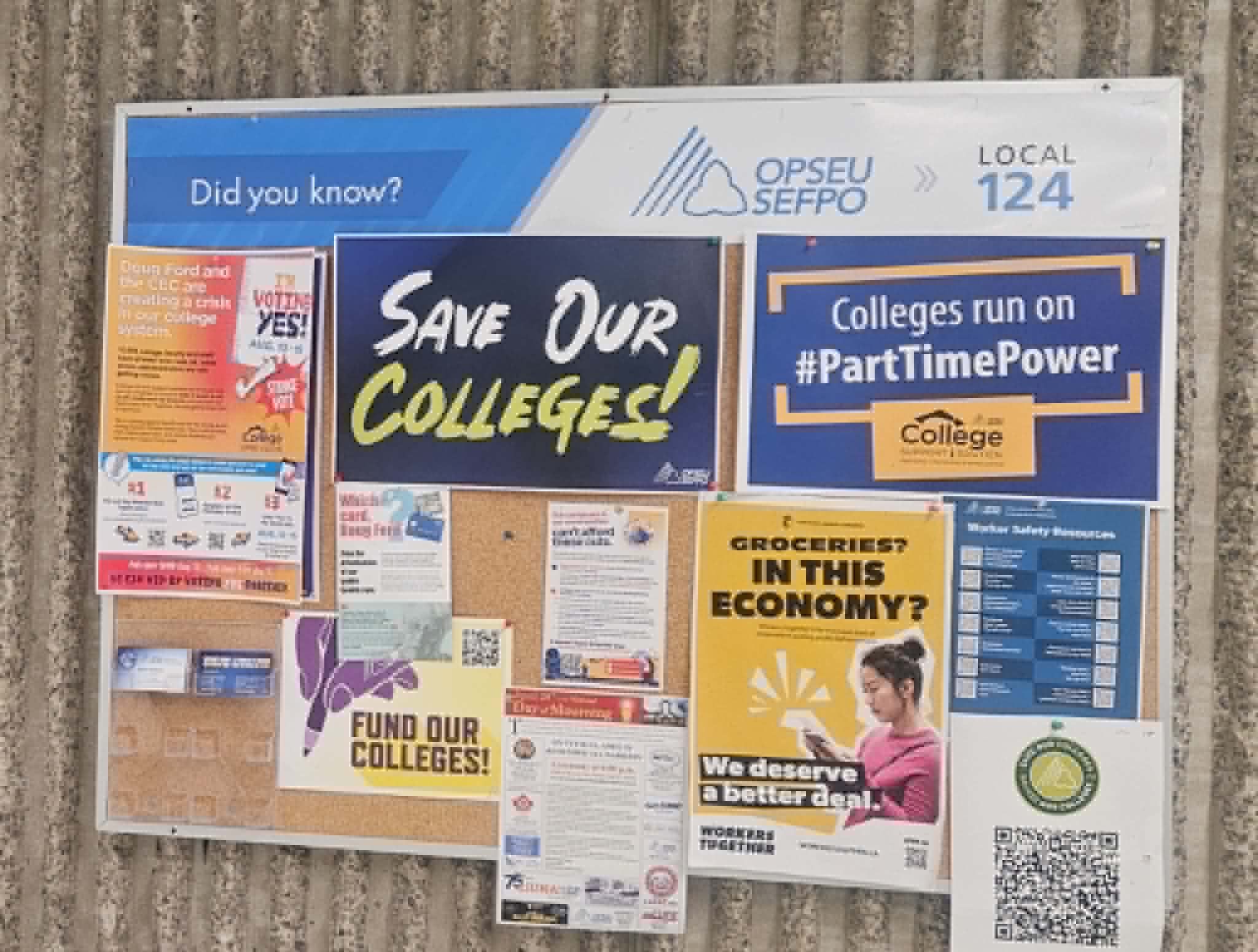
Campaign-dense board
High-energy campaign anchors with QR resource sheet and contact cards - use when you need solidarity filler around the standing zones.
Schematic patterns to copy
Four-zone classic
Header on top; socials and H&S side by side; full-width LEC; events at the bottom. Common break-room layout.
Best for: standard cork boards in lunch rooms
Priority strip + big events
Narrow left column keeps socials, H&S, and LEC visible. Large right panel for the current campaign or poster.
Best for: wide boards near time clocks
Corridor tall stack
Single column for narrow halls: header, socials, H&S, LEC, events, then solidarity filler so cork is never blank.
Best for: narrow corridor or door-side boards
Labeled columns (info board)
Headers across the top: Postings | Updates / LEC | Health & safety + QR | Rights posters. Matches a tidy campus board with ministry posters on the right.
Best for: wide boards you can keep tidy with paper labels
Steward desk board
Large LEC / steward block beside socials and H&S cards; bottom strip for the next meeting. Common where members stop to ask questions.
Best for: steward office or union room boards
Board practice
Where to post
Use union-designated boards in break rooms, steward offices, and agreed spots. Never post on management boards without permission. Check CA posting rights.
How long to leave notices up
Remove outdated notices promptly. Meetings: post 1-2 weeks ahead, remove after. Bargaining: refresh weekly. Strike: daily. Keep bare-minimum zones current.
What not to post
Never post confidential bargaining positions, member home addresses, or internal strategy. Do not name individuals in grievances. Ask your president if unsure.
Pair with social media
Use the same headline on the board notice and social graphic. Post the board first, then share on social with a photo of the posted notice (consent anyone visible).
Sources & references
External resources cited in this guide. National and government URLs often move; if a link 404s, search from that organization’s home page. OPSEU / SEFPO pages on opseu.org may block automated checks — open those links in a browser before you share them in a workshop.
- OPSEU / SEFPO collective agreements
Find Your Collective Agreement — province-wide contracts. Individual employer CAs may need the Member Portal. Do not use the retired /information/general/… or bargaining/… pretty URLs.
- OPSEU / SEFPO graphics, logos & letterhead
National About hub. Graphics downloads move when the national site reorganizes — Brand Assets on this site mirrors logos and colour specs.
- Posters required in the workplace (Ontario)
Ministry hub for ESA and other workplace posters locals can print when a board needs content.
- Employment Standards Act - mandatory information
Official ESA poster distribution rules; printable PDF mirrored under public/assets/ontario-board-posters/.
- Your guide to the Employment Standards Act
Full ESA guide for vacation, leaves, hours, and termination — distinct from the mandatory poster page.
- Occupational Health and Safety Act (e-Laws)
Live OHSA statute - prefer QR to e-Laws over outdated paper copies on union boards.
- Guide to the Occupational Health and Safety Act
Plain-language worker rights: know, participate, and refuse unsafe work.
- Labour Relations Act, 1995 (Ontario)
Ontario LRA s.74 sets the duty of fair representation (arbitrary, discriminatory, bad faith). College CAAT units may use the CCBA instead — confirm which act applies.
- Ontario Human Rights Code — rights and responsibilities
OHRC plain-language overview for union board QR sheets and member rights zones.
- Ontario Federation of Labour
Provincial labour federation — solidarity and movement education; cite, do not mirror.
- National Union of Public and General Employees (NUPGE)
National affiliate federation — solidarity links on local sites; cite, do not mirror.
- Canadian Labour Congress
National labour congress — solidarity links on local sites; cite, do not mirror.